Flexible Permission Settings
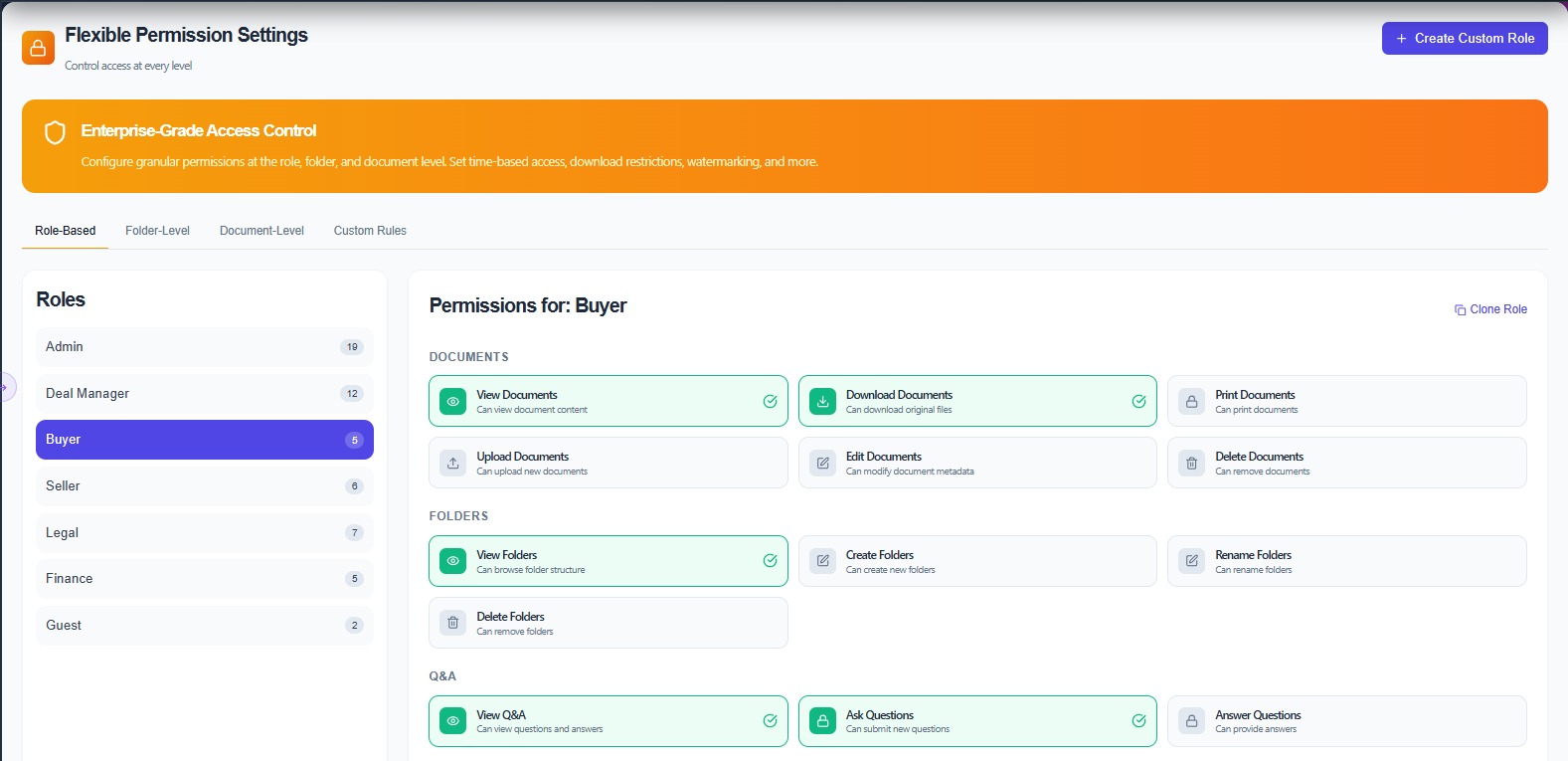
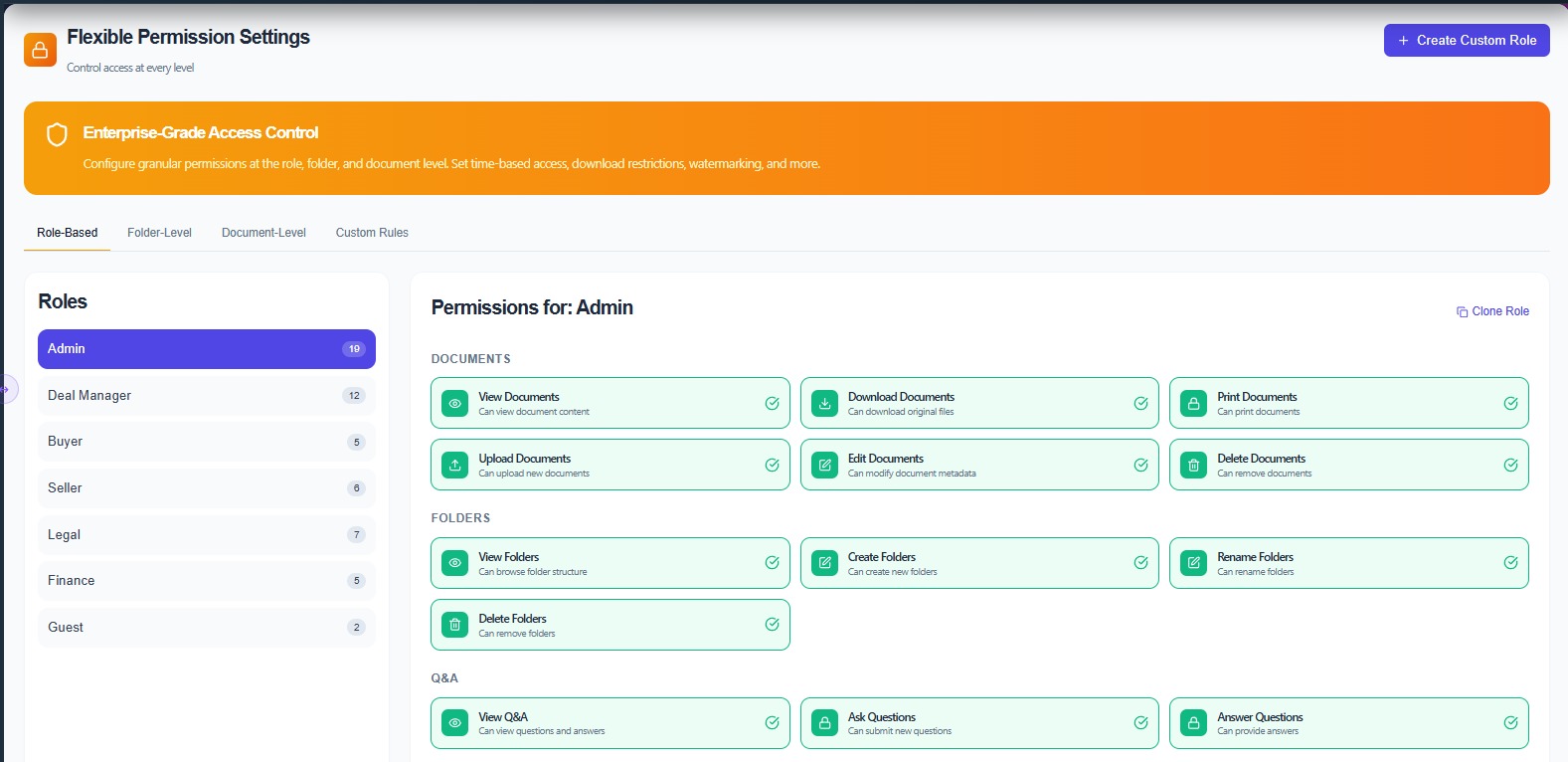
The Flexible Permission Settings section allows administrators to control user access across the platform. It provides role-based and granular permission management to ensure that users can only access the documents and actions relevant to their responsibilities.
- Create and manage custom user roles such as Admin, Buyer, Seller, Legal, and Finance
- Configure role-based permissions for documents, folders, and Q&A activities
- Control actions like viewing, uploading, editing, downloading, and deleting documents
- Manage folder-level and document-level access restrictions
- Apply custom rules and enterprise-grade access controls to maintain data security and compliance
Precise Access Control at Every Level
From top-level roles down to individual document actions — Space Nexus gives administrators full control over who sees what, and what they can do with it.
Custom User Roles
Create and manage custom user roles such as Admin, Buyer, Seller, Legal, and Finance. Assign the right level of access to each participant category without configuring permissions individually for every user.
Role-Based Permissions
Configure role-based permissions for documents, folders, and Q&A activities. Set what each role can see and interact with across the entire data room without needing to adjust settings file by file.
Granular Action Controls
Control specific actions for each role — viewing, uploading, editing, downloading, and deleting documents. Lock down sensitive files while giving collaborators exactly the access they need to do their work.
Folder & Document-Level Access
Manage folder-level and document-level access restrictions independently. Restrict entire sections of the data room to specific roles, or apply finer controls to individual sensitive files within shared folders.
Custom Access Rules
Apply custom permission rules beyond standard role templates. Configure exceptions, time-limited access windows, and deal-specific restrictions to meet complex transaction requirements.
Enterprise-Grade Security
Maintain data security and compliance with enterprise-grade access controls. Ensure that users can only access the documents and actions relevant to their responsibilities — enforced at every level.
Role-Based Permission Configuration
Configure exactly what each role can access — down to individual document actions and folder restrictions.
Access Control That Scales with Your Deal
Set up the right permissions once and manage them centrally — so your team stays productive and sensitive information stays protected throughout the transaction.
Step 01
Define Roles
Create custom user roles tailored to your deal structure — Admin, Buyer, Seller, Legal, Finance, or any combination your transaction requires.
Step 02
Configure Permissions
Set role-based permissions for folders, documents, and Q&A. Control viewing, uploading, editing, downloading, and deleting for each role independently.
Step 03
Assign & Enforce
Assign roles to users and let Space Nexus enforce access automatically. Every action is validated against permissions in real time, keeping your deal secure.
Take Full Control of User Access
Schedule a personalized demo and see how Space Nexus gives you precise, role-based control over every document, folder, and action in your data room.